
Frequently Asked Questions
Not really. Due to our free trial being tied to your email address, we do not allow you to remove your account or change your email address. You can delete all your listings however. We do provide a change of email if you submit a support request stating the reason for the change.
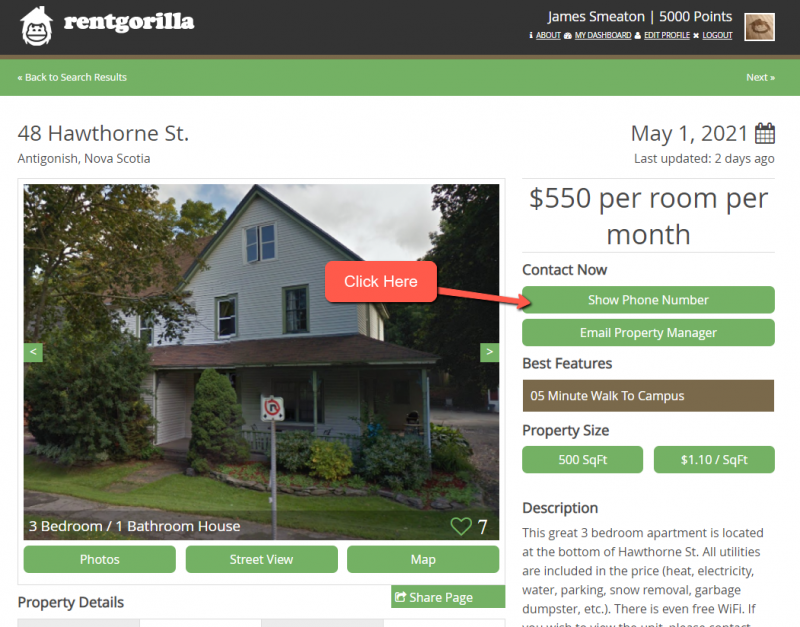
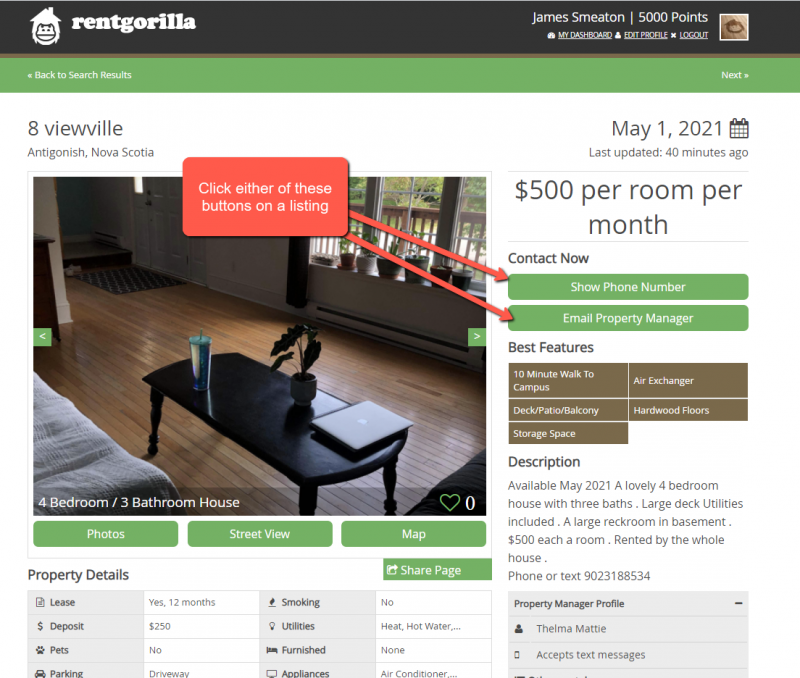
Yes. Each listing has a button that will reveal the phone number of the property manager if they have provided one.
We remove accounts that have shown no activity after three years. We send multiple warnings to inform users before this happens prompting them to login to the website if they wish to retain their account. When your account is deleted all information associated with your properties is also deleted.
Creating a listing is completely free. You can make as many as you wish. When you want to publish a listing you need to have a subscription matching the total amount of properties you wish to publish. Your first listing is free for 30 days.
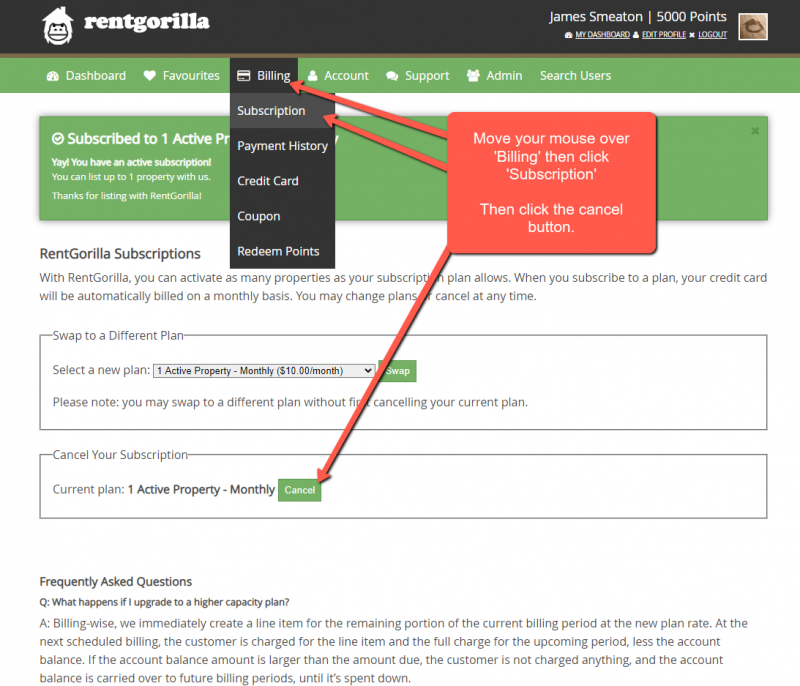
Yes. If you do not have any published properties you need to be sure to cancel your subscription by clicking in the main menu Billing > Subscription and then “Cancel Subscription”. Our system is built this way because many users have multiple properties stored on our system but only a few that they publish at a time.
You will still be able to use the privileges associated with your plan until the period you paid for expires at which point we will deactivate your listings. You may still qualify for a free listing.
We will deactivate some of your properties if necessary to compensate for the new plan’s lower capacity. Be sure to confirm that you activate your desired properties. Billing-wise, we immediately create a line item for the remaining portion of the current billing period at the new plan rate. At the next scheduled billing, the customer is charged for the line item and the full charge for the upcoming period, less the account balance. If the account balance amount is larger than the amount due, the customer is not charged anything, and the account balance is carried over to future billing periods, until it’s spent down.
Billing-wise, we immediately create a line item for the remaining portion of the current billing period at the new plan rate. At the next scheduled billing, the customer is charged for the line item and the full charge for the upcoming period, less the account balance. If the account balance amount is larger than the amount due, the customer is not charged anything, and the account balance is carried over to future billing periods, until it’s spent down.
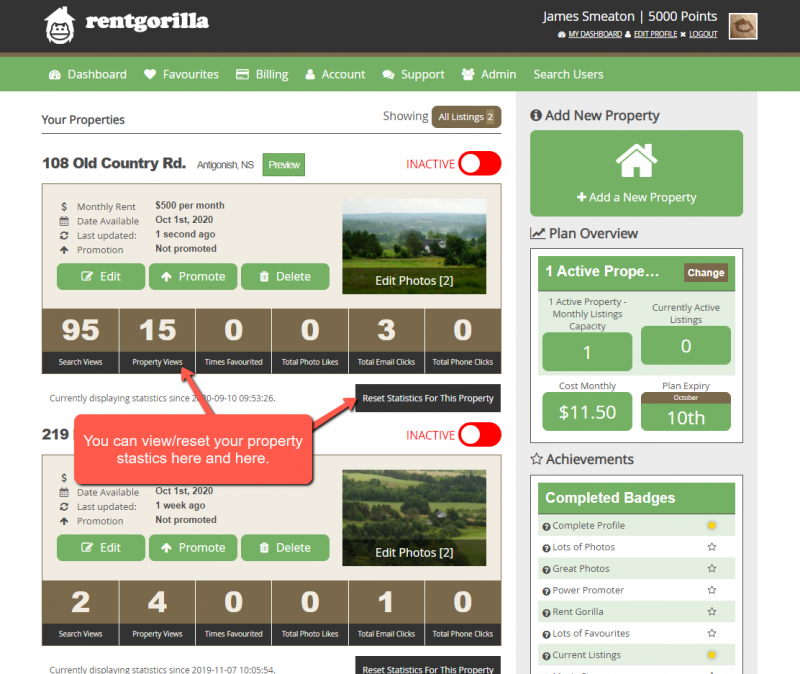
Yes. Each property listing contains a broad range of statistics underneath the primary property information on the Dashboard page. You can also reset your statistics on a given property at anytime.
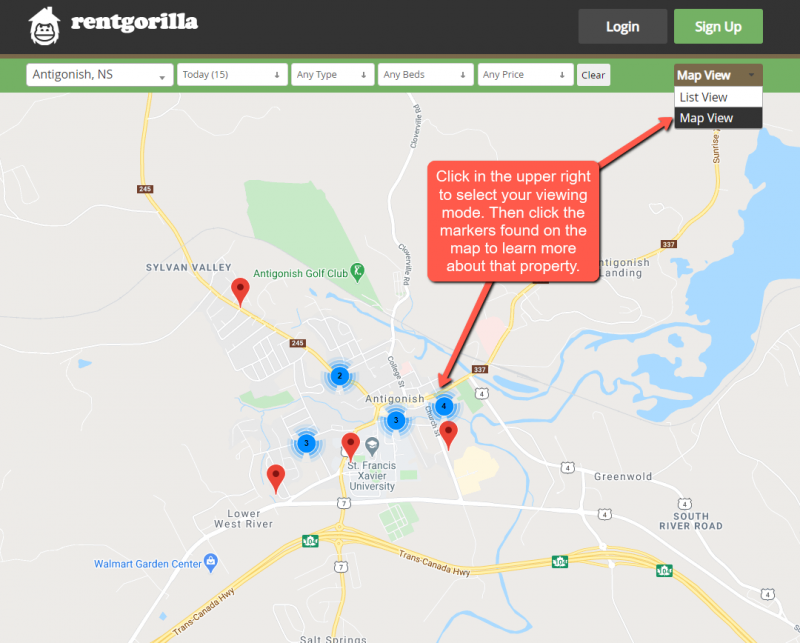
Yes, directly on our main page you can select your location and click the ‘Map Search’ button. When viewing listings in ‘List View’ you can select ‘Map View’ in the upper right corner.
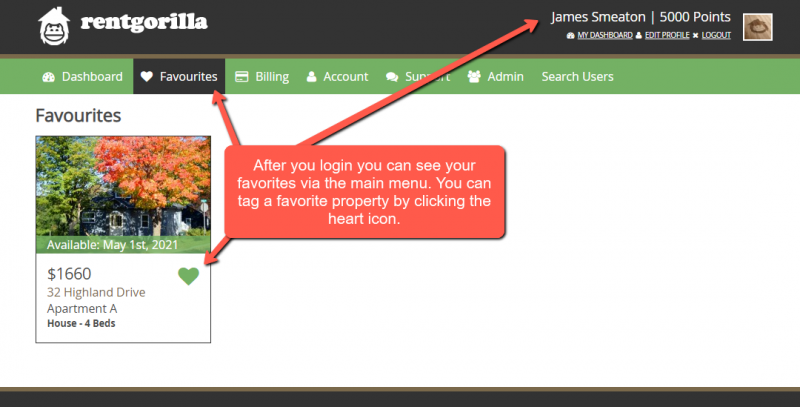
Yes, first you need to create an account. Verify your email and login. You can then click the heart on any property and it will be added to your favorites. You can access your favorites from the main menu once you are logged into the website.
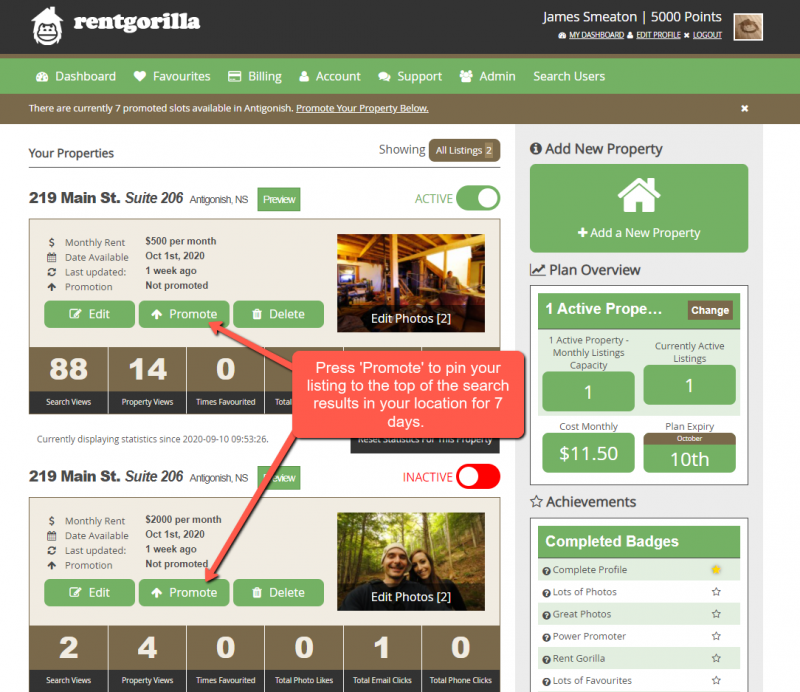
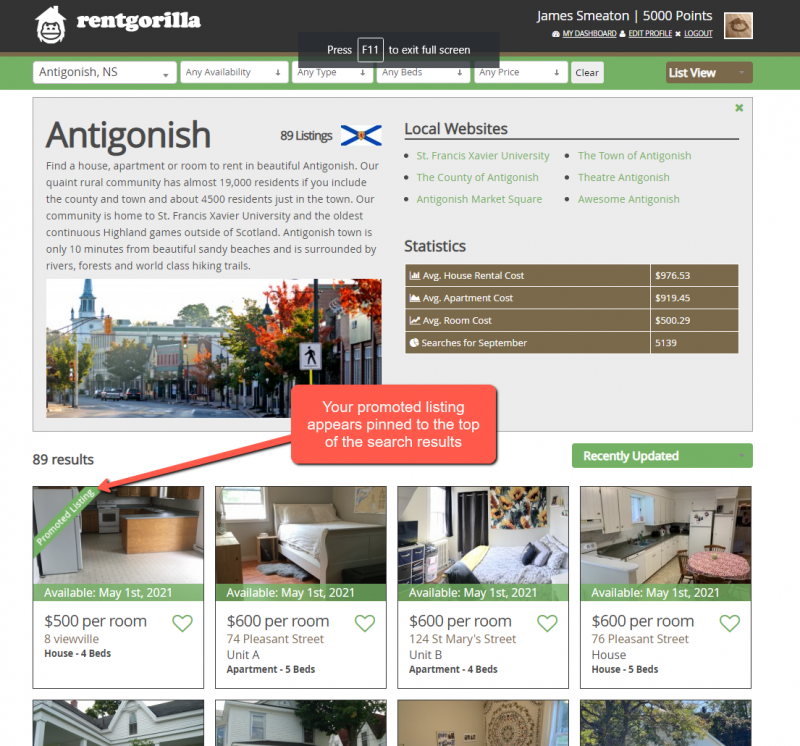
Yes, once you login to the website and have already added a property you will see an option to ‘Promote’ your listing. This charges the credit card on file $10+hst for 7 days of promoted visibility.
Yes, all subscriptions are automatically renewed and billed to the card on file unless you cancel your subscription. You can do that via the main menu under Billing > under Subscription.
No. Your first 30 days are free for your first property and requires no credit card to get started. Once your 30 days are up you then need to add a credit card to purchase a subscription to continue to maintain a published listing.
Once you are logged into your account simply move your mouse over ‘Billing’ then click ‘Subscription’ Then click the cancel button mid way down the page.
Once you find a listing in the search results look for and click the SHOW PHONE NUMBER or EMAIL PROPERTY MANAGER buttons.
Yes. Our website has mobile optimization to allow complete management of your properties via your phone.
Your first property is free for 30 days. It costs $10 per property per month after your free one.